
Create Slack Credentials on Ziwo
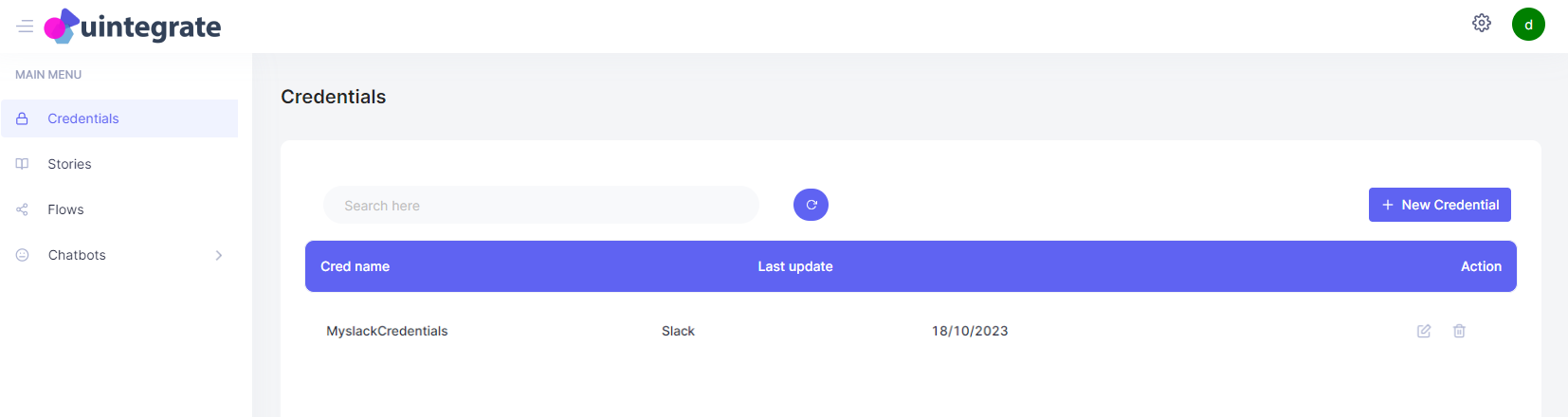
Now your Slack Credential will be shown in the Credentials tab :
Create Slack Credentials on Ziwo
With your Slack Token in hand, you can now create Slack Credentials on the Ziwo platform. Follow these steps:
-
Getting Started
- Log in to your Ziwo account.
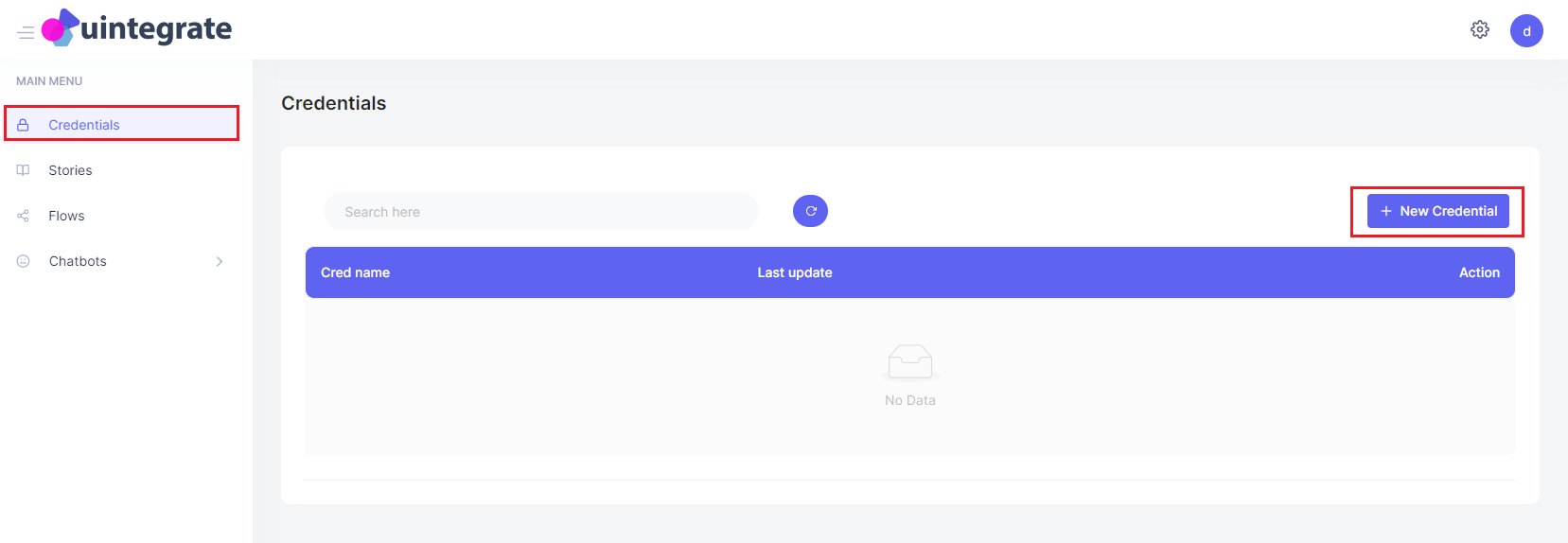
- Navigate to the Credentials tab in the main menu.
- Click on + New Credentials.
-
Creating the Credential
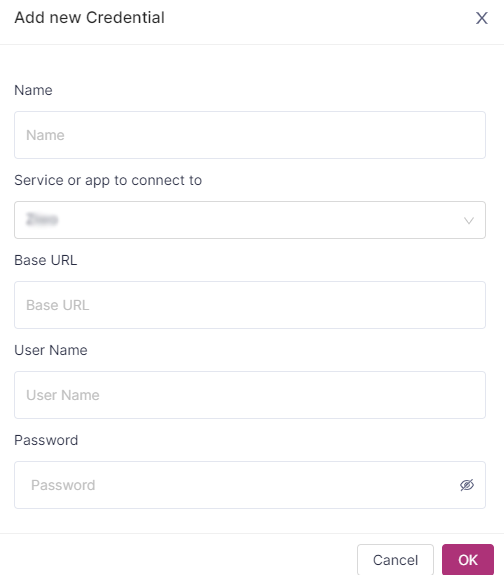
- You will see the default view of the Credentials creator.
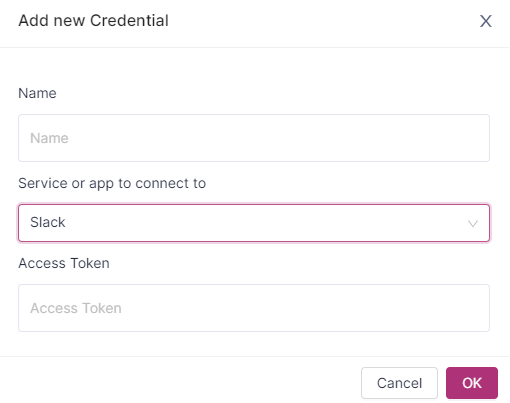
- To select Slack Credentials, change the Service or app to connect to from the default option to Slack by clicking the dropdown arrow.
- Name It and Paste the Token
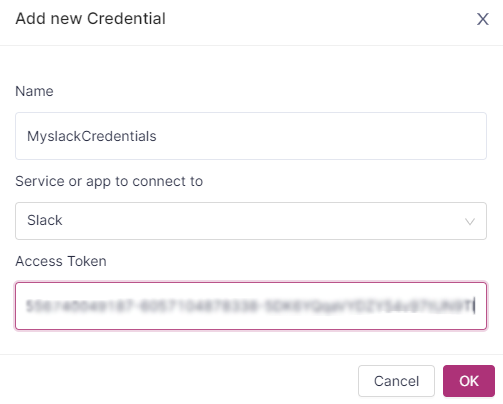
- Enter a name for your credential (note that the name should be a single word or use underscores).
Paste the Slack Token that you copied earlier. - Once you've filled in the required fields, click OK to save.
- The Slack Credential Has Been Created
- Your new Slack Credential will now appear in the Credentials tab.
This credential is now ready to be used within your Ziwo workflows, allowing for seamless integration with Slack.
Updated over 1 year ago
Did this page help you?