
User ID and Secret
To create credentials on the Ziwo platform, you will need to obtain your User ID and User Secret from your Connected App in Salesforce.
Step 1: Access App Manager
-
Return to App Manager:
- Navigate back to the App Manager in Salesforce.
- Locate the Connected App you created earlier.
-
Manage Consumer Details:
- Click on the "Manage Consumer Details" option for your app.
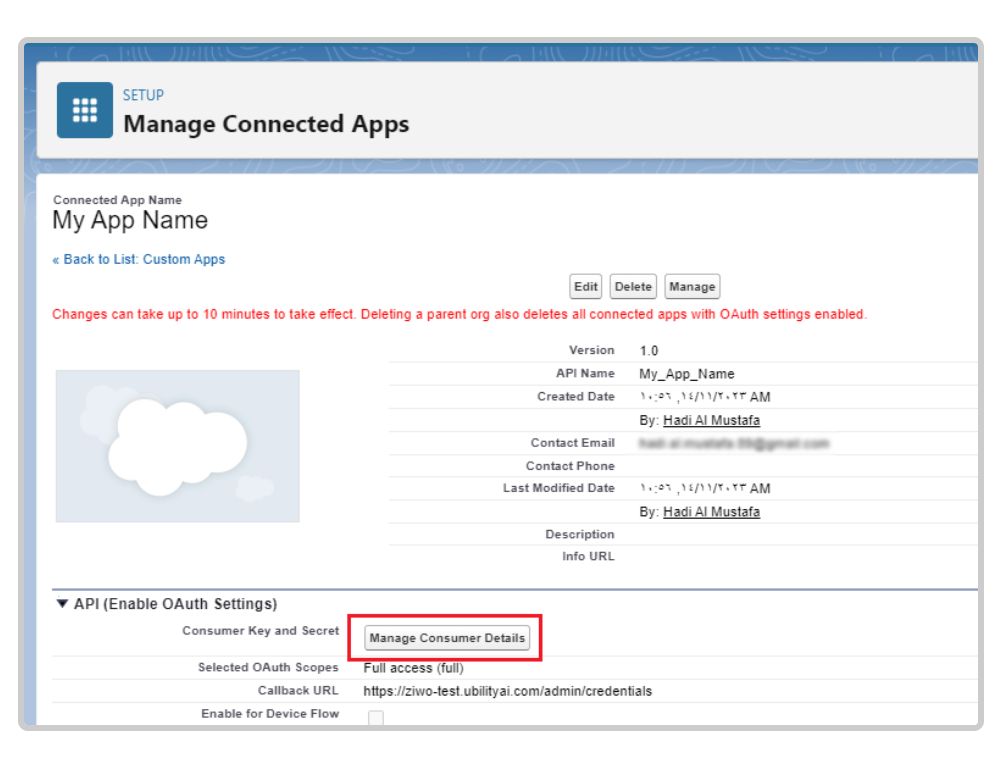
Step 2: Complete Verification
- Verification Page:
- Upon clicking Manage Consumer Details, you may encounter a verification page.
- Follow the prompts to complete the verification process.
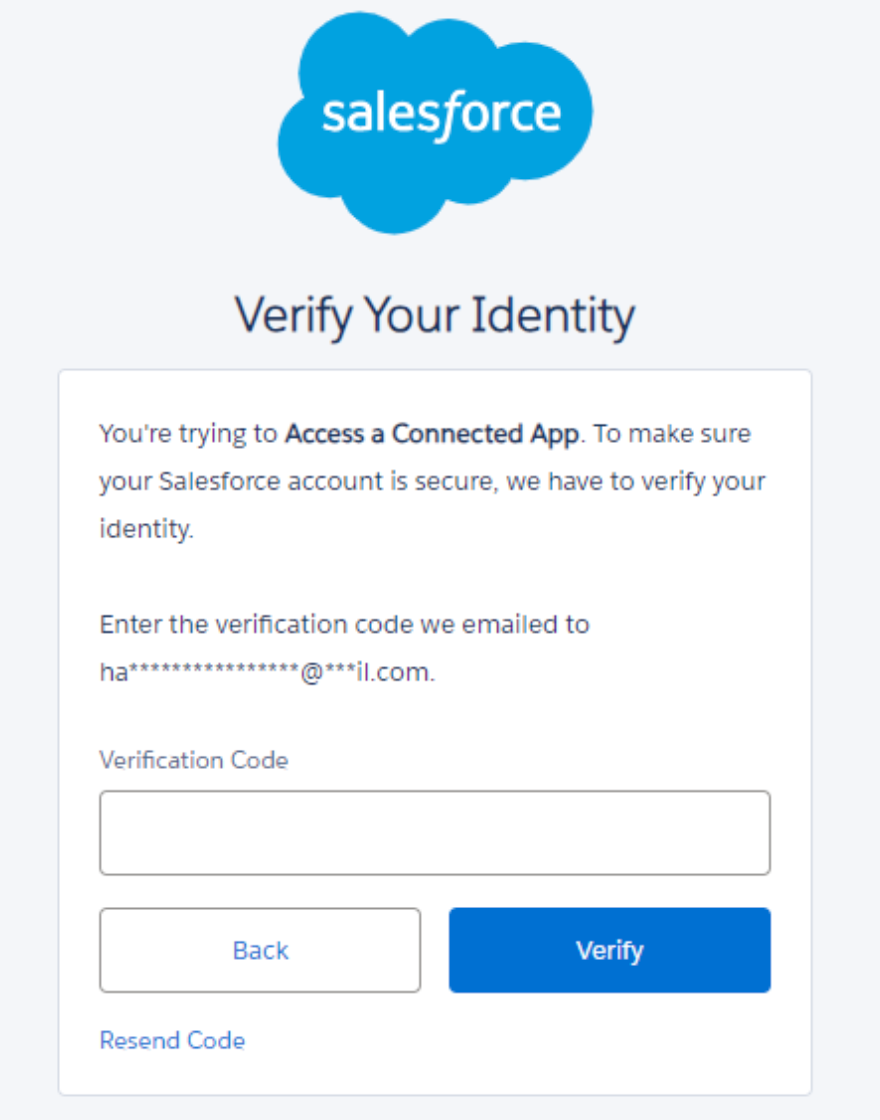
Step 3: Retrieve User ID and Secret
-
Redirected to Credentials:
- After successfully verifying, you will be redirected to a page where your User ID and User Secret will be displayed.
- Note Your Credentials:
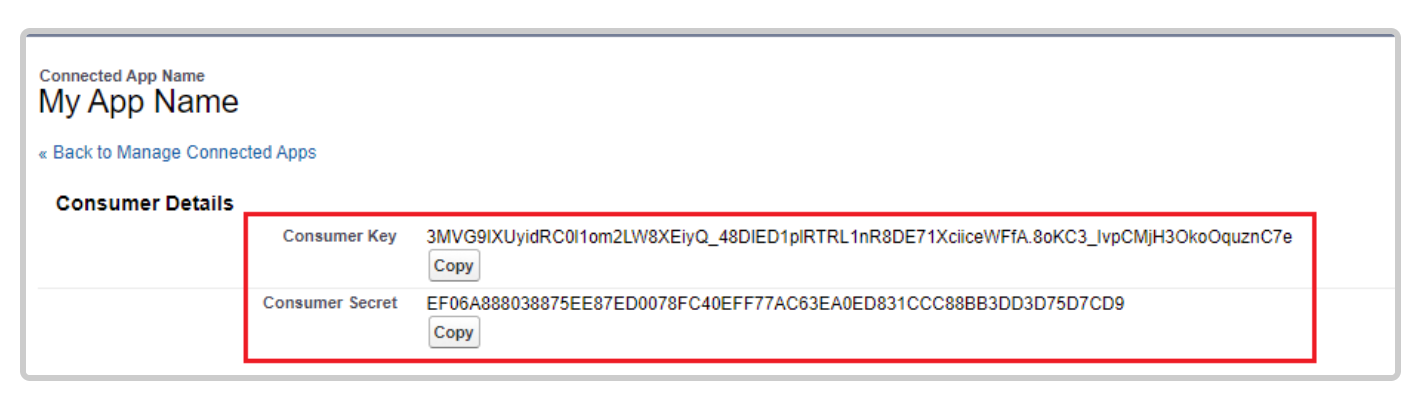
Make sure to securely note down the User ID and User Secret, as you will need these to create the credentials on the Ziwo platform.
Summary :You have now successfully retrieved your User ID and User Secret. These credentials are essential for setting up the integration with Uintegrate, enabling secure access to your Salesforce app.
Updated over 1 year ago
Did this page help you?